
Robot parts
Learn what the main mechanical and electrical parts do.
An combines a structure, moving parts, electronics, and code. Learning the names makes it easier to follow kit instructions and ask for help.
The structure and drive base
The is the robot's main frame. It holds parts in place and carries loads. A drive base, or , is the arrangement of , wheels, and supporting parts that moves the robot across the floor.
Tank drive uses wheels on the left and right sides. Running the sides at different speeds turns the robot. wheels have angled rollers; with the right layout and code, four of them let the robot move sideways as well as forward and backward. That sideways movement is called strafing.
Tank drive is a useful place to learn. Mecanum can give drivers more movement options, but wheel placement, weight distribution, and code must be correct. Start with a documented kit layout your team can support.
A joins parts together. Common examples are screws, nuts, and washers. A standoff is a spacer that holds two parts apart. Tighten parts securely without crushing plastic or damaging threads, the spiral ridges that let a screw engage with a nut.
Motors and servos
A motor turns electrical energy into rotation. FTC drive motors usually have a , which uses gears to reduce speed and increase turning force at the output. That turning force is called .
means revolutions per minute: how many full turns a makes in one minute. A faster motor is not automatically better. A heavy lift may need more torque and a slower output. The motor and gear guide explains this in more detail.
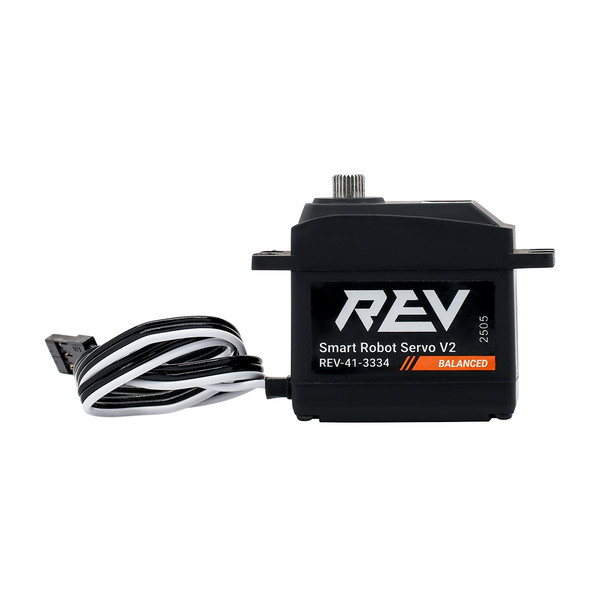
A is a different kind of . An actuator is a device that makes something move. A positional servo moves its output toward a commanded position; it is useful for a small latch or claw. A continuous-rotation servo is commanded by speed and direction instead, so check the model and operating mode you actually have.
Gears, belts, and bearings
Gears are toothed wheels that pass rotation between shafts. A belt passes motion between pulleys. Chain passes motion between toothed sprockets. These let you put a motor away from the part it drives, change speed and torque, or drive several parts together.
A supports a shaft while letting it rotate. A shaft with poor support can bend or bind. Binding means unwanted friction or misalignment prevents free movement.
A is a set of parts arranged to perform a task. An collects objects. A lift raises something. A claw holds an object. Learn one mechanism at a time and test it with the real object.
Controllers and sensors
The runs your robot program. A REV combines that computer with ports for motors, servos, and . An optional adds more device connections; it does not replace the computer running the program.
The is the device students use to select a program, start and stop it, and send gamepad input. A REV Driver Hub is one type of Driver Station device.
A sensor measures something. An measures rotation, a distance sensor measures distance, and an measures motion and orientation. IMU stands for inertial measurement unit. Sensors give your code information, but the code must decide what to do with it.
Point out these parts on your kit robot. If you cannot find one, check whether your kit actually includes it before assuming something is missing.